Download WiFi Analyzer free on android
APK file WiFi Analyzer 5.3How to install APK / APKS / OBB file on Android

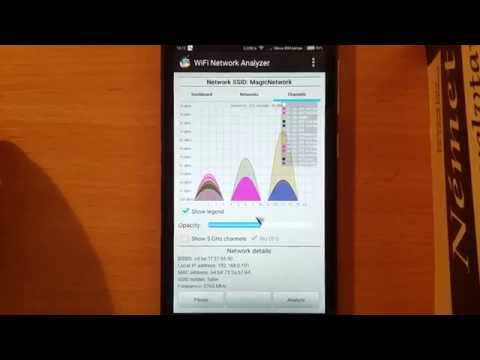

WiFi Analyzer recommends the best channel and place for your router, get the best out of your WiFi!
Transform your device into a professional WiFi network scanner and analyzer. Unlike basic wifi analyzers, our app combines multiple network tools in one powerful solution - perfect for IT professionals, network administrators, and tech-savvy users who need comprehensive WiFi analysis.
Key features
Next-Generation WiFi Support:
- WiFi 6E & 6GHz band analysis - Future-ready technology
- 2.4GHz, 5GHz, and 6GHz comprehensive scanning
- WiFi 6/WiFi 7 compatibility with 320MHz channel width support
Professional Network Analysis Tools:
- Real-time throughput meter to your router (unique feature)
- Multi-target ping testing to popular internet addresses
- Latency analysis for gaming and streaming optimization
- DNS verification and network troubleshooting
Network Security & Management:
- Detect unauthorized users on your WiFi network
- Security analysis: WEP, WPA, WPA2, WPA3 support
- Connected device scanner with device type detection
- Network vulnerability assessment
Advanced Visualization & Analytics:
- Signal strength heatmaps and channel congestion charts
- Optimal channel recommendations based on interference analysis
- Historical data tracking and network performance trends
- Export capabilities for professional reporting
Smart Optimization Features
- Automatic router placement suggestions for maximum coverage
- Channel overlap detection and interference mitigation
- WiFi band recommendations (2.4GHz vs 5GHz vs 6GHz)
- Router configuration access for quick settings changes
Perfect For:
Home Users: Optimize your WiFi for streaming, gaming, and remote work
IT Professionals: Comprehensive network analysis and troubleshooting
Network Administrators: Enterprise-level WiFi planning and management
Tech Enthusiasts: Advanced features and detailed network insights
Advanced Capabilities:
- DHCP information analysis and IP configuration details
- Frequency and channel width detection (20/40/80/160/320 MHz)
- Access point discovery with distance estimation
- Raw data access for technical analysis beyond charts
Themes & Customization
- Dark and Light themes for comfortable viewing
- Customizable filters: SSID, WiFi band, signal strength, security type
- Flexible display options: Complete or compact access point view
- Export functionality for data analysis and reporting
- LicenseFree
- File nameWiFi Analyzer
- File Version5.3
- Package namecom.pzolee.wifiinfo
- Size7.79 MB
- UploadedJanuary 21, 2026
- Android9.0 or later
- CategoryTools
- DeveloperZoltán Pallagi
- Developer site
- Developer emailpzoleex@gmail.com
- md5 hashece3053e857c7d1aa9d42ef621acbc3c
- Architecturearm64-v8a armeabi-v7a x86_64 x86
- Permissionsshow (8)